Chapter 1 - The Linux programming Interface
The intention of this series of writeups is to slowly implement all exercises from the book in C and/or rust.
This is meant to be a fun project rather than writing production perfect code.
- Unix was commercially available by many vendors. Richard stallman from MIT wanted a free Unix and worked on creating a lot pf programs that could run on Unix systems and free under GPL. GNU - GNU’s Not Unix Most work by stallman was for programs on Unix but Linux still lacked a working kernel. Linus then started a work on free Unix Kernel- called Lunix.
Unix by AT and T was boken by Govt Anti trust, and then the new Unix working group was formed and helped release System III and then System V.
Ben Thompson also went on to go work at University of California, Berkeley and then came up with BSD ( Berkeley Software Distribution) - many successors made way afterwards - FreeBSD, OpenBSD etc .
The term POSIX (an abbreviation of Portable Operating System Interface) POSIX.1 documents an API for a set of services that should be made available to a program by a conforming operating system. An operating system that does this can be certified as POSIX.1 conformant.
User mode and Kernel Model
Hardware instructions allow switching from user to Kernel mode and opposite. CPU can only access user space in user mode. Certain operations like
- Halt
- Memomry management
- I/O operations can only be executed by CPU in Kernel mode
when ever a syscall is made in a program, there is always a int $0x80 software interrupt. This interrupt then reads few predifined registers to find out which syscall routine should be called. These routines have direct memory access , I/O operations etc.
User and Groups
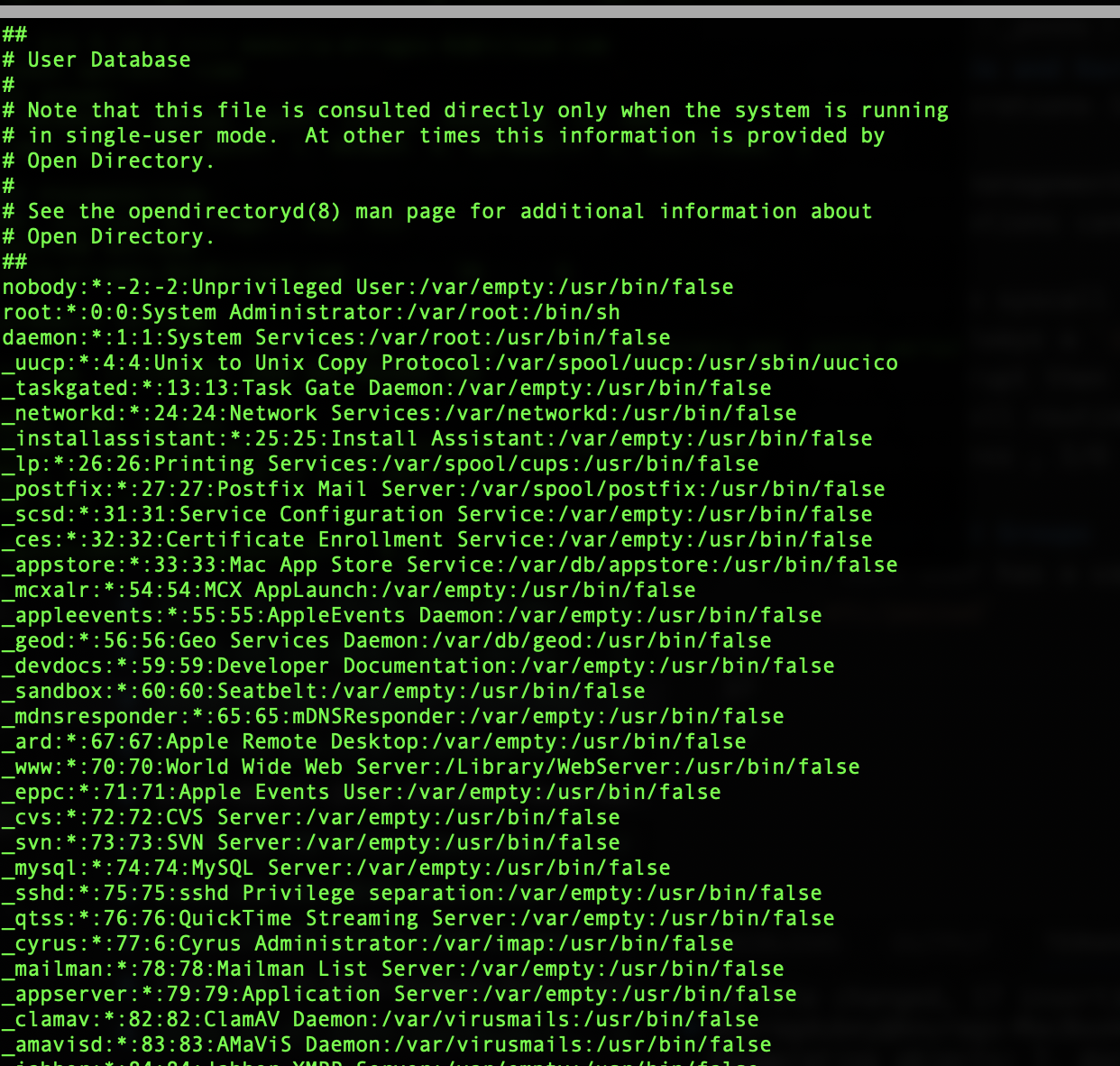
- Each user has a userid and username, can be viewed by line in
etc/passwd
It also has - group id - Home directory - Login shell
password is generally stored in separate file called shadow password file
group each group is identified by a line in
/etc/group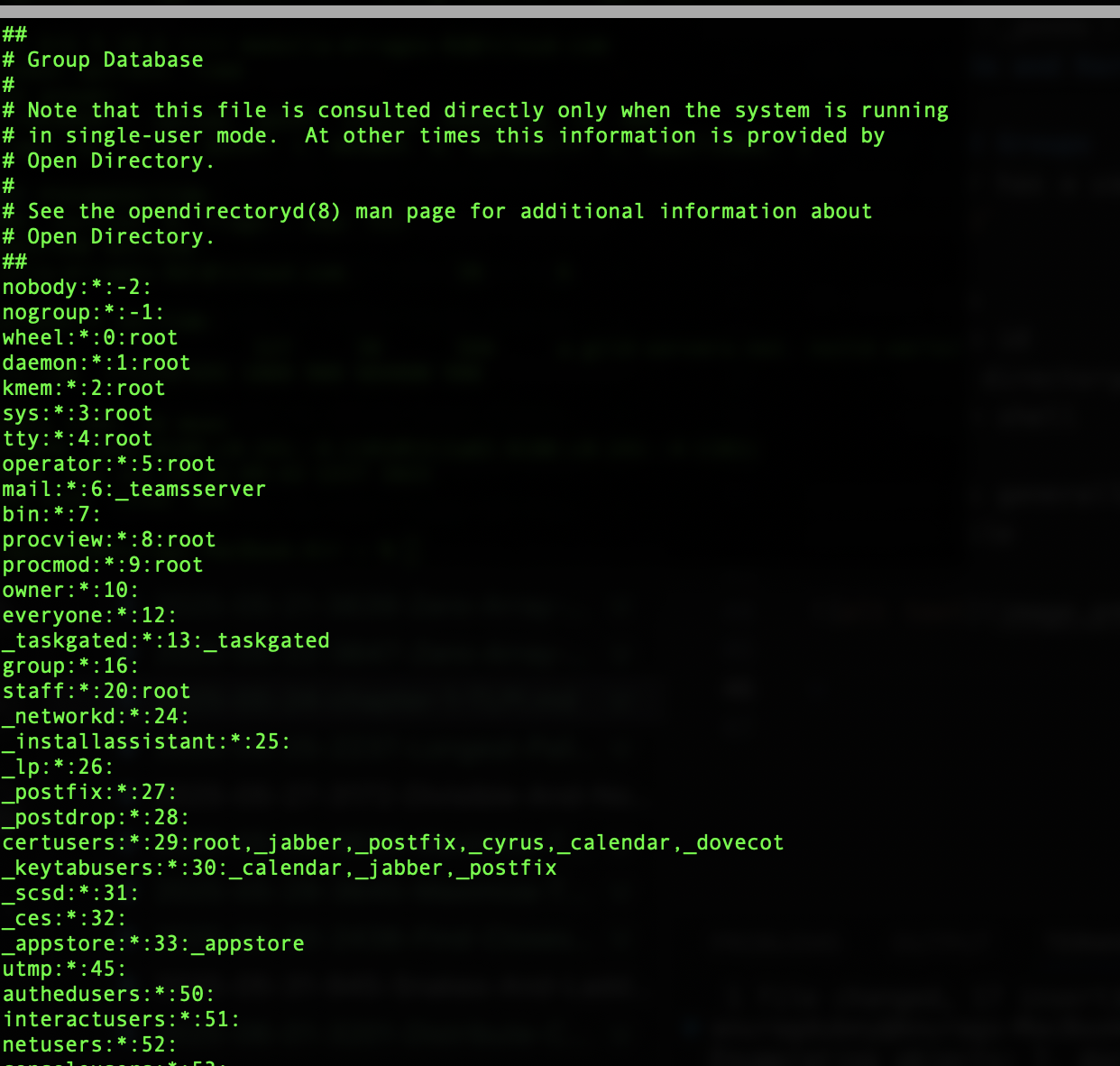 each line contains - group name - group id - user list as csv
superuser
- bypasses all system checks
- has user id as 0
- login name as root
Hierarchy
- In windows, each device has a different hierarchie
- In Linux, everything has a root
/- Then
etc bootusrbinhome
- Then
file types
- regular files
- directories
- pipes
- sockets
- symbolic links - dangling links are links that points to non existent files
- devices
filenames
- must be less than 255 chars
- may not have / and \0 chars
file ownership
- each file has a userid and group id which defines to whom does this file belongs
- with 3 groups - owner, group and everyone else and 3 permission bits
read,write,execute. we have total of 9 bits
- I/O models
- all types of files support
read,write,closeetc - stream of byte sequence types of files (like disk and tapes) also support
lseek.
- all types of files support
file descriptors
- each process inherits from parent (shell process which called fork), three file descriptors
- stdin 0
- stdout 1
- stderr 2
- each process inherits from parent (shell process which called fork), three file descriptors
- Process
- each process has
- text
- data
- heap - dynamically allocate extra memory
- stack - grows and shrinks as functions are called
- each process has
fork
- can be used to spawn a new process,
- child gets copies of parent’s data, stack and heap.
execve
- destroys exisiting data, stack and heap and create new process with new set of data, stack and heap
- in C wrappers, they are generally called
exec**
termination
- can terminate by
killC wrapper of_killsyscall- delivery of signal
- both the ways return a
termination statusint and can be inspected bywait - 0 is normal termination, non zero is error
- can terminate by
- process ids
- each process inherits a real user id and a real group id
- effective user id and group id is determined with supplementary user id and group id and can be used to execuet the process as priviledged user ( super user)
- Normally a process whose user id is 0 is priviledged user
- Either a process was spawned by another privildeged process or it can assume effective user id of super user by
set-user-idmechanism, C programsetuid There are certain capabilities with each process to determine what it can do.
Environment vars
- key/values maintained by process in its user space
- forked process gets its env from parent
- exec process gets either new or parent;s
setenvin C or export in shell is used to set env variable
resource limit
- each process has a a softlimit and hard limit.
setrlimitis used to set soft limit and hard limit- an unpriviledged process can only change softlimit to hardlimit values or lower its hard limit
memory mappping
- mmap - creates a new mapping in calling process virtual address space
- file mapping is loading parts of file into virtual memory space of process
- anonymous mapping doesn’t have a corresponding file
- depending on if the memory is shared or private, changes may be visible to different process ( parent and child)
- mmap - creates a new mapping in calling process virtual address space
static linking
- during runtime we spicfy the library in link command and then can use functions from that shared lib
- Each statically linked program has its own copy of object modules and hence is space in-efficient
shared libs
- In case a program is linked with shared lib, then compiler just writes a record to the executable and dynamic linker links the file at runtime.
- there is just a sngle copy of shared lib.
- linking programs can automatically use the new versions if the program is compiled as new version
IPCs
- signals
- sockets
- file locking
- message Qs
- semaphores
- shared memory
Signals
- kill command can be used to send signals to a process from shell
- Normally, a pending signal is delivered as soon as the receiving process is next scheduled to run, or immediately if the pro- cess is already running. However, it is also possible to block a signal by adding it to the process’s signal mask. If a signal is generated while it is blocked, it remains pending until it is later unblocked (i.e., removed from the signal mask).
- Threads
- each thread has its own stack but shares heap, data and is executing same program
- they share virtual memeory
- threads can also communicate with each other with IPCs
jobs
- a shell feature where each process is placed in a new process group
- then kernel cak send signal to all processes in process groups
- session
- session is a collection of groups(jobs)
psuedoterminaal
- a device that acts terminal and controls another system
- like telnet, ssh etc
cpu time
- cpu time also has values that show time spent in user space and kernel space
- /proc file system
- /proc file system is a virtual file system
/proc/PIDis a directory that has multiple attributes related to this process